






Navigation: Command Center > Admin > HR and Access Control > User Session
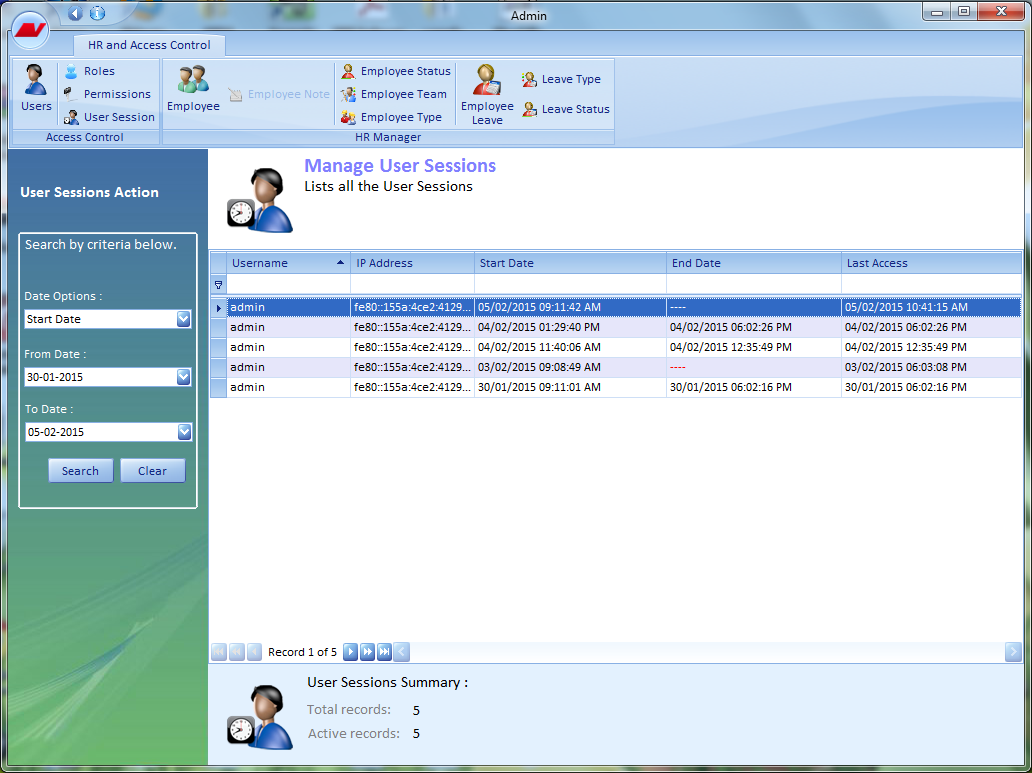
The Manage User Session page displays all the user sessions in a tabular format. The details that are displayed about the user sessions are Username, IP Address, Start Date and time, End Date and time, and Last Accessed Date and time.
The summary information pertaining to these records is displayed at the bottom of this page. The navigational arrows provided at the bottom enable the users to navigate one/more records at a time.
